22 June 2026
Mastering Boarding Bridge B-Roll Edits: A Comprehensive Guide
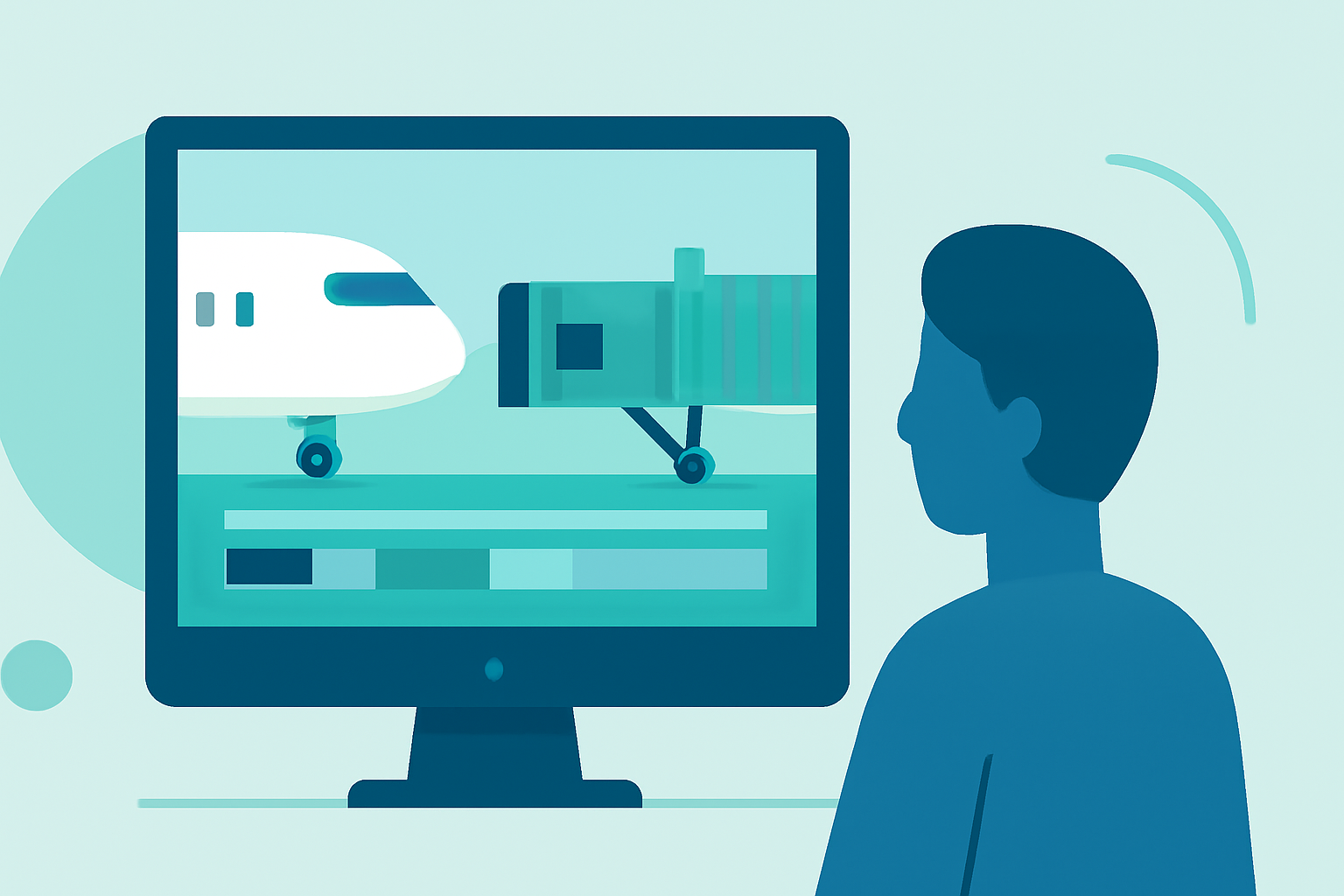
Capturing and editing boarding bridge B-roll footage can significantly enhance the visual appeal of your video projects, providing dynamic transitions and context that engage viewers. This guide offers a step-by-step approach to effectively shoot and edit boarding bridge B-roll, ensuring your footage is both compelling and professional.
What Is B-Roll and Why Is It Essential?
B-roll refers to supplementary footage that supports the main content (A-roll) in a video production. It adds depth, context, and visual interest, helping to illustrate points, cover edits, and maintain viewer engagement. In the context of boarding bridges, B-roll footage can showcase the boarding process, passenger interactions, and the architectural design of the bridge itself.
How to Capture Effective Boarding Bridge B-Roll Footage
1. Plan Your Shots
Before heading to the location, outline the specific shots you need. Consider the following:
- Wide Shots: Capture the entire boarding bridge and its surroundings to establish context.
- Medium Shots: Focus on passengers walking through the bridge, highlighting their interactions and movements.
- Close-Ups: Zoom in on details like the bridge's architecture, signage, or unique features.
2. Choose the Right Time and Lighting
Lighting plays a crucial role in video quality. Aim to shoot during times when natural light enhances the scene, such as early morning or late afternoon. Overcast days can also provide soft, diffused lighting that reduces harsh shadows.
3. Use a Tripod or Stabilizer
To ensure steady shots, especially in low-light conditions, use a tripod or a gimbal stabilizer. This equipment minimizes camera shake and results in smoother footage.
4. Capture Ambient Sound
Recording ambient sound during your shoot adds realism to your footage. Capture the sounds of footsteps, announcements, and other background noises to enrich your audio track.
5. Respect Privacy and Permissions
Always obtain the necessary permissions to shoot in airport areas. Be mindful of passengers' privacy and avoid capturing identifiable individuals without consent.
How to Edit Boarding Bridge B-Roll Footage
1. Organize Your Clips
Begin by reviewing and categorizing your footage. Label clips based on shot type (e.g., wide, medium, close-up) and content to streamline the editing process.
2. Select the Best Takes
Choose the most visually appealing and relevant clips. Look for shots with good composition, proper exposure, and clear focus.
3. Incorporate B-Roll Seamlessly
Integrate your B-roll footage into your main video to support the narrative. Use B-roll to cover jump cuts, illustrate points, or add visual interest during transitions.
4. Maintain Consistent Color Grading
Ensure that the color grading of your B-roll matches the A-roll to maintain visual coherence. Adjust white balance, contrast, and saturation as needed.
5. Sync Audio Carefully
If your B-roll includes ambient sound, sync it accurately with the A-roll. Ensure that the audio levels are balanced and that the sound complements the visuals without overpowering the main audio.
6. Use Transitions Wisely
Apply transitions between A-roll and B-roll to create smooth visual flows. Avoid overusing flashy transitions; instead, opt for simple cuts or fades that enhance the storytelling.
7. Review and Refine
After assembling your edit, review the entire sequence to ensure that the B-roll enhances the narrative and maintains viewer engagement. Make adjustments to pacing, audio levels, and visual effects as necessary.
Where to Find Boarding Bridge B-Roll Footage
If capturing your own footage isn't feasible, consider sourcing high-quality boarding bridge B-roll from reputable stock video platforms. Websites like Pexels offer free 4K stock videos of passenger boarding bridges, which can be a valuable resource for your projects. (pexels.com)
How to Enhance Your Boarding Bridge B-Roll Edits
1. Add Motion Graphics
Incorporate motion graphics to highlight specific features or information within your B-roll footage. This can include animated text, arrows, or icons that draw attention to key elements.
2. Utilize Slow Motion
Applying slow-motion effects to certain clips can emphasize details and add a cinematic quality to your footage. Use this technique sparingly to maintain its impact.
3. Implement Color Correction
Adjust the color balance and exposure of your B-roll to ensure consistency with the rest of your video. Proper color correction can make your footage appear more polished and professional.
4. Layer Sound Design
Enhance the auditory experience by layering sound effects that complement the visuals. For example, adding the sound of footsteps or ambient airport noise can immerse viewers in the scene.
5. Apply Subtle Effects
Use effects like lens flares or light leaks to add visual interest without distracting from the main content. Ensure that any effects used align with the overall tone and style of your video.
Conclusion
Effectively capturing and editing boarding bridge B-roll footage requires careful planning, attention to detail, and a solid understanding of video editing techniques. By following the steps outlined in this guide, you can create engaging and professional-looking videos that showcase the dynamic environment of airport boarding bridges.
For those seeking a comprehensive solution to streamline the editing process, Planes Live offers a robust platform designed to enhance video production workflows. Its intuitive interface and powerful features make it an excellent choice for creators looking to elevate their content.
By integrating Planes Live into your production process, you can efficiently manage and edit your boarding bridge B-roll footage, ensuring a polished final product that resonates with your audience.
Remember, the key to successful B-roll editing lies in its ability to support and enhance the main narrative. With thoughtful planning and execution, your boarding bridge B-roll can add significant value to your video projects.
Note: Always ensure that you have the necessary permissions and rights for any footage used in your projects.